Prerequisites
- An Azure account with an active subscription. If you don’t have one, create a free Azure account, which includes a free trial subscription.
- A Foundry resource with an AI gateway configured. Learn more about how to enable an AI gateway for a Foundry resource.
- A Foundry project with a deployed model added to the configured AI gateway. To enable an AI gateway for a project, you need the API Management Service Contributor role (or Owner) on the Azure API Management resource.
Understand AI gateways
When you use an AI gateway with Foundry Control Plane to provide advanced policy enforcement for models, the AI gateway sits between clients and model deployments. It makes all requests flow through the API Management instance that’s associated with it. Limits apply at the project level. That is, each project can have its own TPM and quota settings.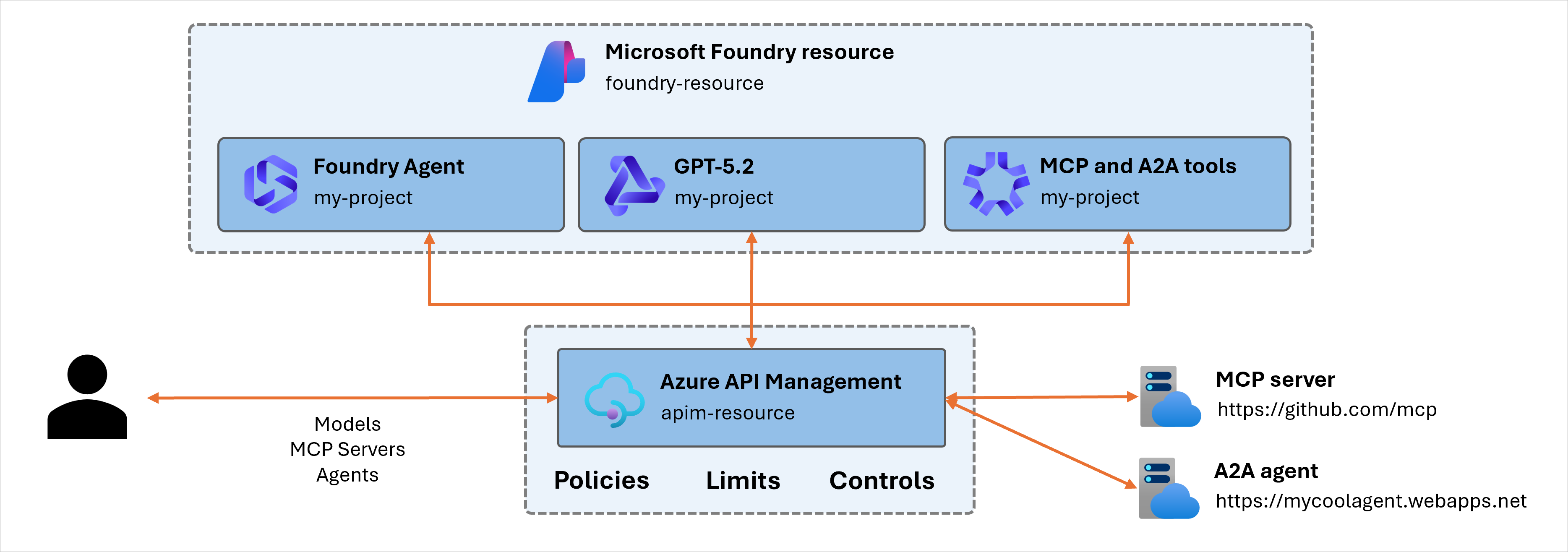
- Multiple-team token containment (prevent one project from monopolizing capacity).
- Cost control by capping aggregate usage.
- Compliance boundaries for regulated workloads (enforce predictable usage ceilings).
Configure token limits
You can configure token limits for specific model deployments within your projects:- Sign in to Microsoft Foundry. Make sure the New Foundry toggle is on. These steps refer to Foundry (new).

- Select Operate > Admin.
- In the AI Gateway list, select the gateway that you want to use.
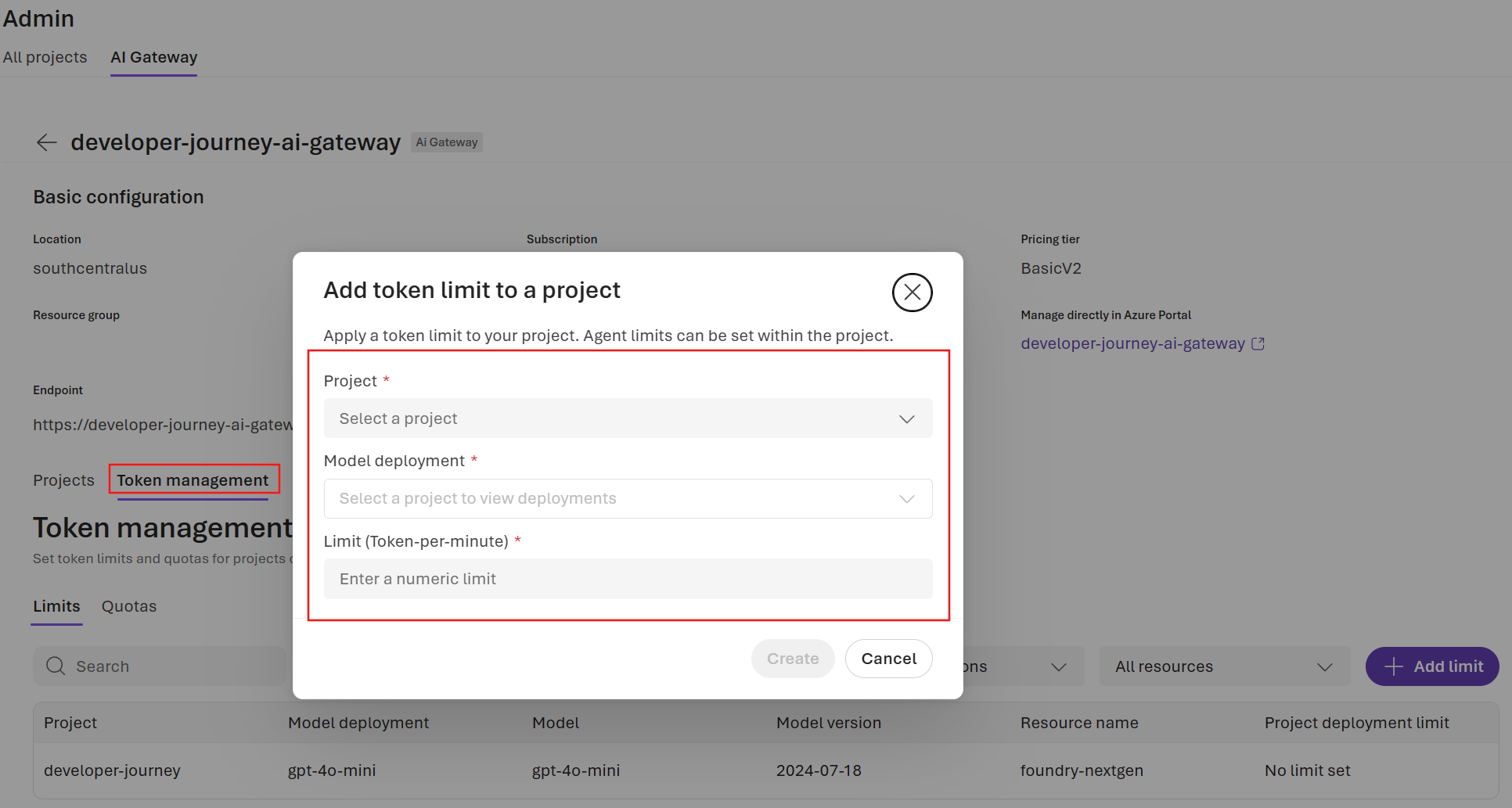
- On the gateway details pane that appears, select Token management.
- Select + Set limit to create a new limit for a model deployment.
- Select the project and deployment that you want to restrict, and enter a value for Limit (Token-per-minute).
- Select Create to save your changes.
Understand quota windows
Token limits have two complementary enforcement dimensions:-
TPM rate limit: Limits token consumption to a configured maximum per minute. When requests exceed the TPM limit, the caller receives a
429 Too Many Requestsresponse status code. -
Total token quota: Limits token consumption to a configured maximum per quota period (for example, hourly, daily, weekly, monthly, or yearly). When requests exceed the quota, the caller receives a
403 Forbiddenresponse status code.
Verify enforcement
- Send test requests to a model deployment endpoint by using the project’s gateway URL and key.
- Gradually increase request frequency until the TPM limit triggers.
- Track cumulative tokens until the quota triggers.
-
Validate that:
429 Too Many Requests(rate-limited response) is returned when requests exceed the TPM limit.403 Forbidden(quota error) is returned when requests exhaust the quota.
Adjust limits
- Return to the project’s AI Gateway settings.
- Modify TPM or quota values.
- Save the changes. New limits apply immediately to subsequent requests.
Troubleshoot
| Problem | Possible cause | Action |
|---|---|---|
| API Management instance doesn’t appear | Provisioning delay | Refresh after a few minutes. |
| Limits aren’t enforced | Misconfiguration or project not linked | Reopen settings and confirm that the enforcement toggle is on. Confirm that the AI gateway is enabled for the project and that correct limits are configured. |
| Latency is high after enablement | API Management cold start or region mismatch | Check API Management region versus resource region. Call the model directly and compare the result with the call proxied through the AI gateway to identify if performance problems are related to the gateway. |