Prerequisites
To explore Foundry Control Plane, you need:- An Azure account with an active subscription. If you don’t have one, create a free Azure account, which includes a free trial subscription.
- A Foundry project. If you don’t have one, create a project.
- An AI gateway configured for advanced governance features.
- Appropriate Azure role-based access control (RBAC) permissions for your subscription.
When to use Foundry Control Plane
Consider using Foundry Control Plane when your organization:- Manages multiple AI agents across different projects or teams.
- Requires centralized compliance visibility and policy enforcement across an AI fleet.
- Integrates Microsoft Defender and Microsoft Purview for AI governance and threat protection.
- Operates agents from multiple platforms, including Foundry, Microsoft, and non-Microsoft sources.
- Needs to track cost, token usage, and resource consumption across an entire AI environment.
Foundry Control Plane capabilities
Foundry Control Plane consolidates inventory, observability, compliance, and security into one role-aware interface. It integrates with Microsoft security and governance systems (Microsoft Defender, Microsoft Purview, Microsoft Entra) to provide governance at scale. The following diagram shows how Foundry Control Plane provides unified fleet visibility with agents, models, and tools listed across projects in a subscription.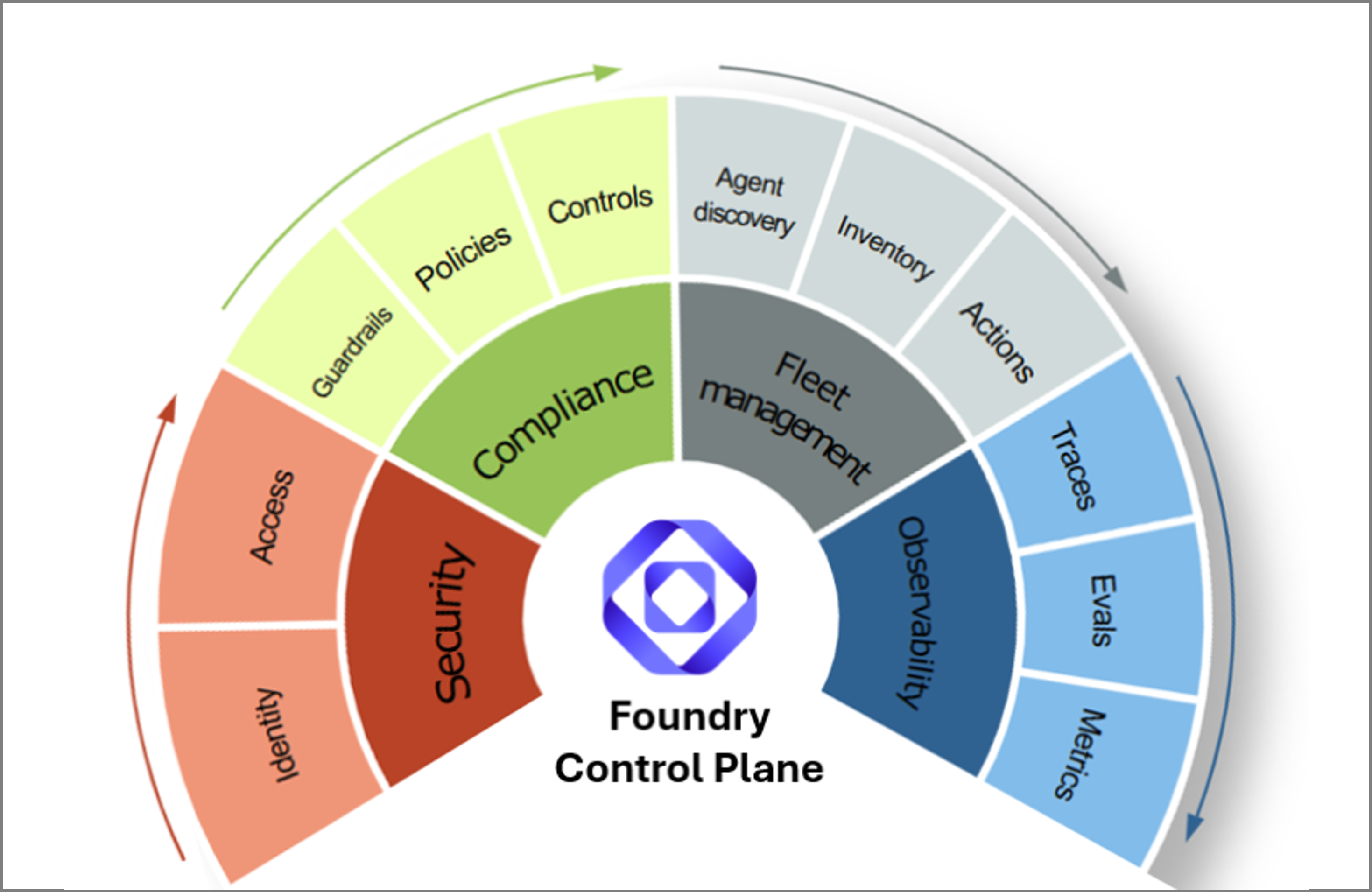
Manage your multi-platform agent fleet
- Track key performance indicators such as active agents, run completion, compliance posture, cost efficiency, and prohibited behaviors across supported agent platforms.
- Use deep links to evaluation and monitoring experiences for rapid debugging, diagnosis, and remediation.
- Visualize fleet health through dashboards that surface trends and anomalies.
Monitor and improve agent performance
- Correlate alerts, evaluation results, and trace data to identify problems quickly.
- Continuously evaluate agent performance, quality, and risk dimensions. Risk dimensions might include task adherence, intent resolution, tool call success, groundedness, sensitive data leakage, and exposure to jailbreak and cross-domain prompt injection attacks (XPIAs).
- Use the AI Red Teaming Agent and cluster analysis for automated vulnerability probing and error root-cause discovery.
- View recommendations for prompt refinements, model version upgrades, and configuration changes.
Enforce compliance guardrails
- Define enterprise-wide guardrail policies for safety, compliance, and quality.
- Apply bulk remediation to correct noncompliant configurations across your fleet.
Secure agents
- Schedule automated red-teaming scans and drift monitoring for ongoing agent testing.
- View Defender and Microsoft Purview alerts directly on the Foundry Control Plane dashboard.
- Track rate limits, token usage, and cost anomalies to prevent inefficiency or abuse.
Key features
Items marked (preview) in this article are currently in public preview. This preview is provided without a service-level agreement, and we don’t recommend it for production workloads. Certain features might not be supported or might have constrained capabilities. For more information, see Supplemental Terms of Use for Microsoft Azure Previews.
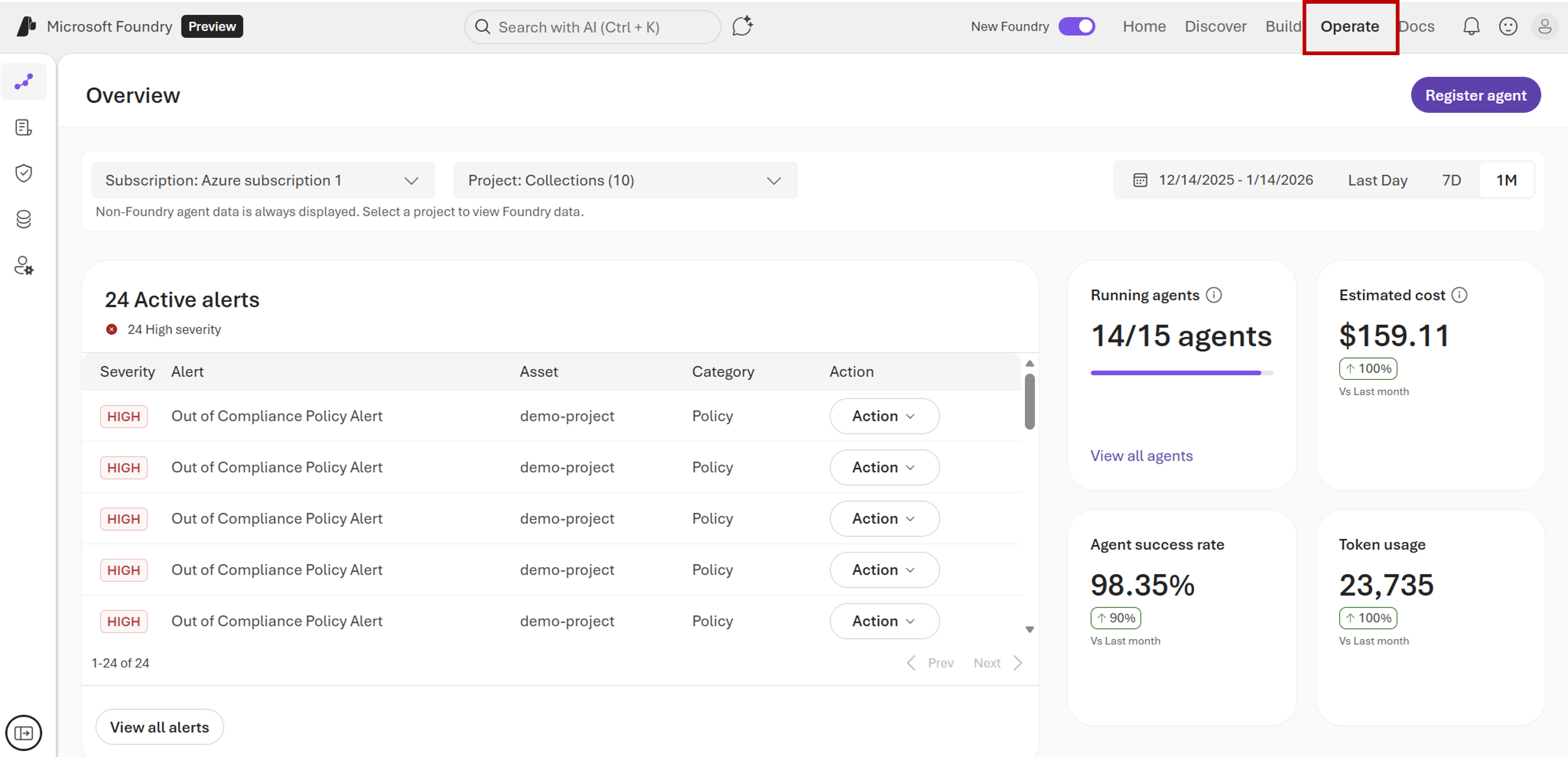
Overview
Use the Overview pane to understand fleet health, performance, and compliance at a glance.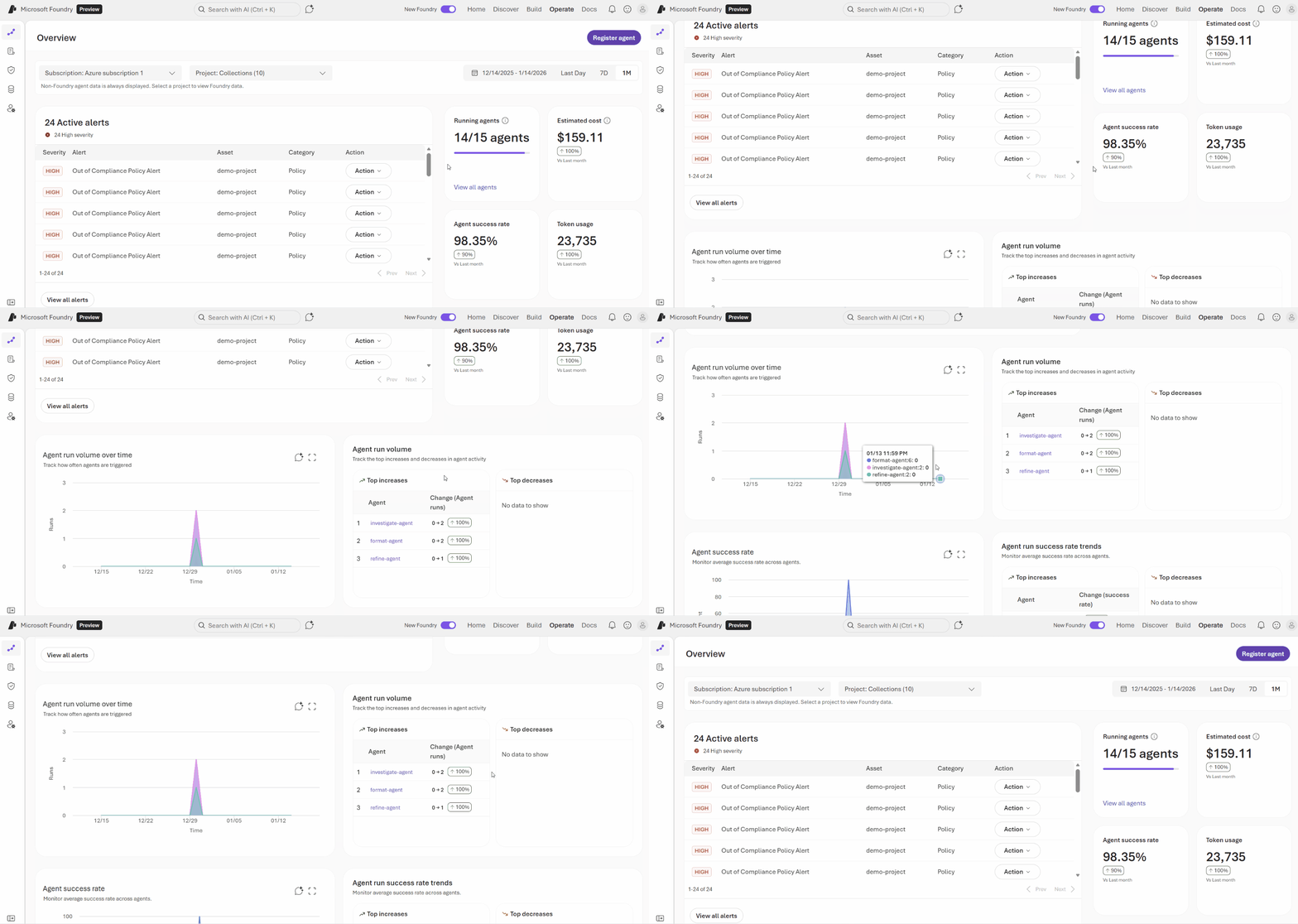
- View key statistics such as active agents, cost trends, run completion rate, and prevented behaviors.
- Drill into anomalies or cost spikes through contextual charts and direct links to inventory, observability, or policy information.
- Identify potential risks early by using trend-based health scores and alert summaries.
Assets
Use the Assets pane to track, analyze, and manage every agent, model, and tool from one place.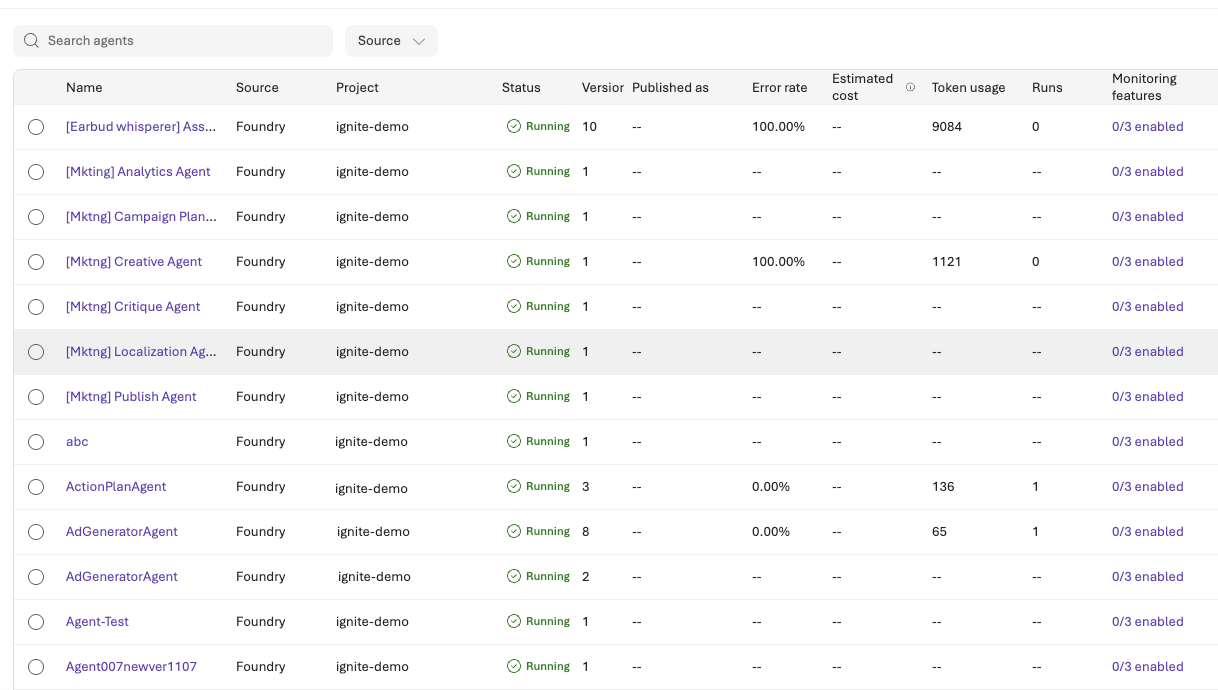
- Filter and sort by key attributes such as version, tags, health score (percentage), cost, alerts, and token usage to locate assets quickly.
- Drill down from any entry in the agent inventory table into the Evaluation or Monitoring tab for pre-deployment and post-deployment insights.
- Surface inline recommendations to refine prompts, upgrade models, or optimize configurations based on performance and cost signals.
- Correlate runtime logs with evaluation results to uncover root causes of errors or performance degradation.
- Visualize drift, latency, and error clusters across runs or builds to detect emerging issues early.
- Integrate with the AI Red Teaming Agent to automate vulnerability probing, regression testing, and issue reproduction.
- Observe and modify model and agent guardrails.
Compliance
Use the Compliance pane to govern your AI systems and enforce the right guardrails.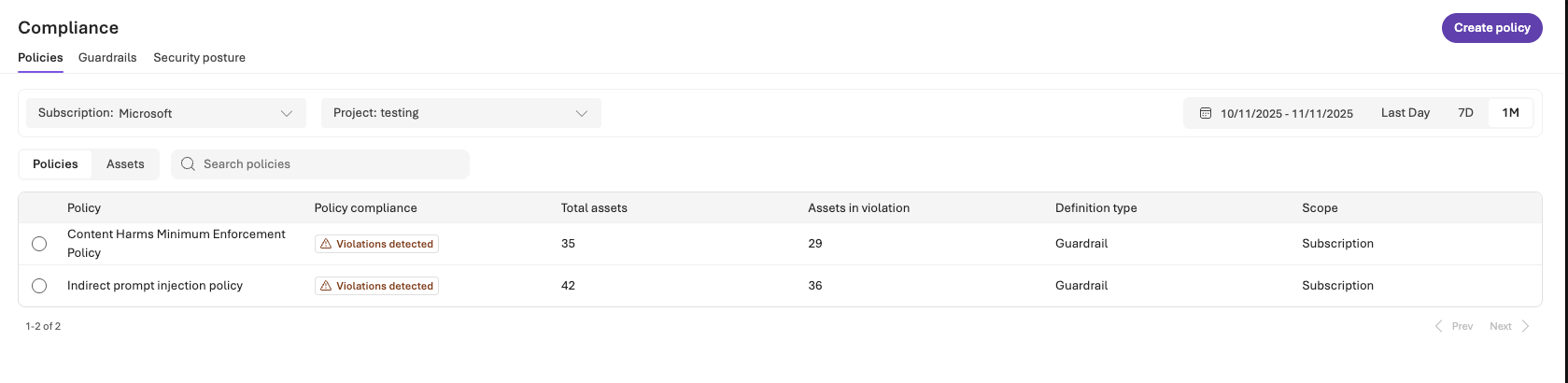
- Define and enforce protections through deep integrations with Azure Policy, Defender, and Microsoft Purview. These integrations help ensure that identity, data, and threat safeguards work in concert.
- Apply versioned policies and track assignments to maintain full auditability and traceability across agents and environments.
- Monitor compliance posture in real time, so that you can surface noncompliant assets and enable bulk remediation directly from Foundry Control Plane.
Quota
Use the Quota pane to view, adjust, and request quotas.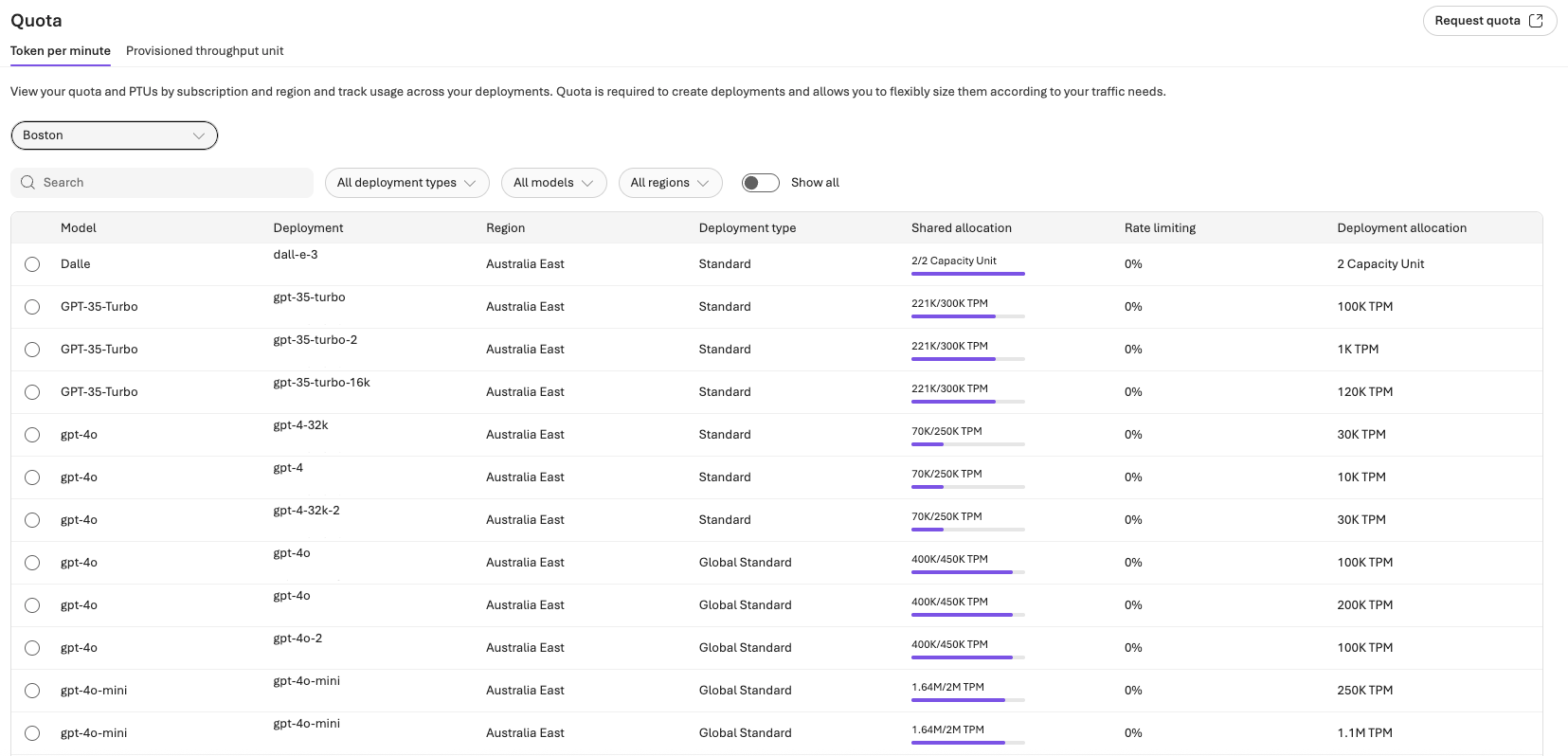
Admin
Use the Admin pane to view, organize, and administer all projects, users, and connected resources across your Foundry environment.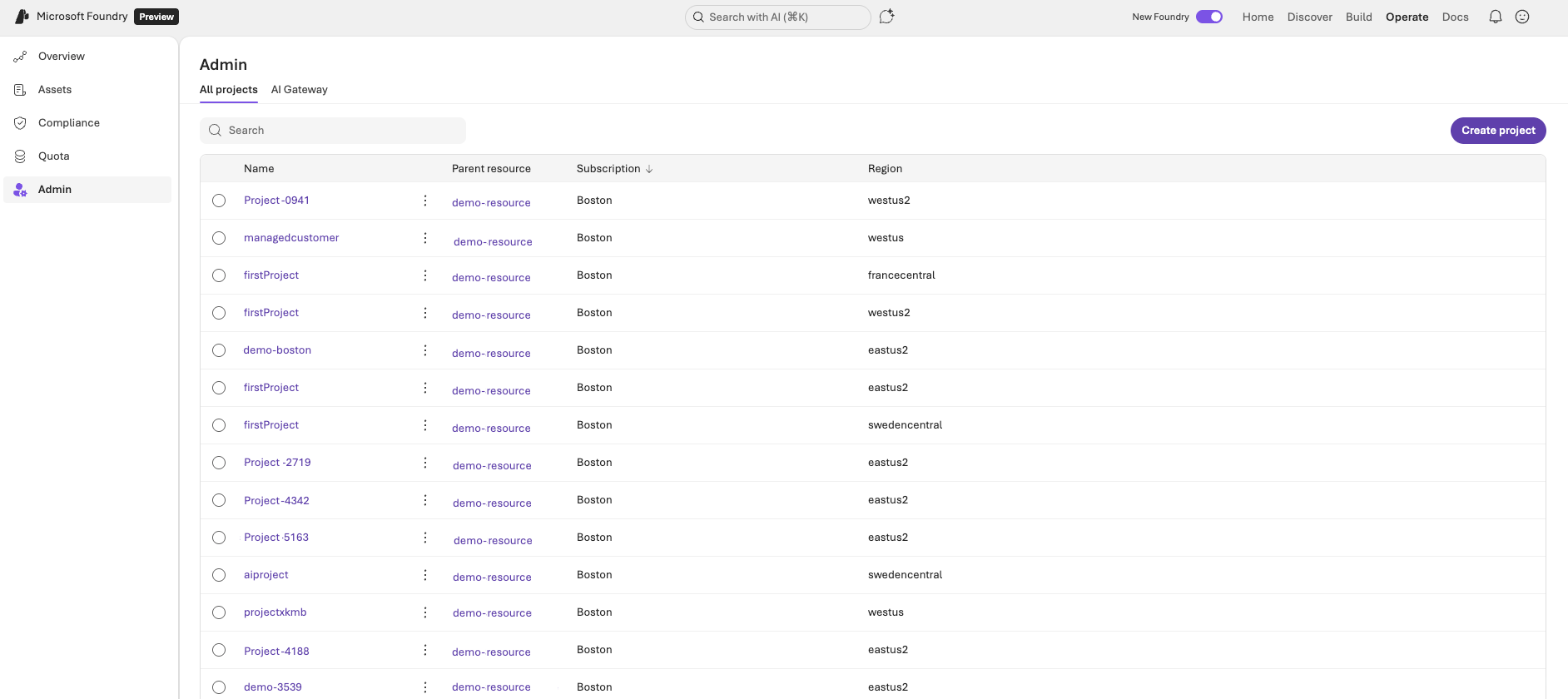
- Gain visibility into all projects across their subscription or tenant, including active, inactive, and archived workspaces.
- View detailed project information such as owners, region, connected services, and compliance posture.
- Add or remove users directly from a project, to define granular access levels aligned with organizational roles.
- Attach or manage connected resources, such as storage accounts, compute clusters, and Foundry Tools, so that projects remain properly provisioned.
- Assign access at parent scope (subscription or resource group) to apply consistent governance and permissions inheritance across multiple projects.
Get started with Foundry Control Plane
Foundry Control Plane is available in the Foundry portal. To start using Foundry Control Plane, explore these resources:- Configure an AI gateway: Enable advanced governance features in your Foundry projects.
- Configure monitoring for your agent fleet: Enable metrics and diagnostic information with observability features.
- Discover agents in your subscription: See which agents are available and manage them centrally.
- Register custom agents: Bring external agents into the Foundry Control Plane registry.
- Apply a guardrail policy for models: Create and assign guardrail policies to enforce safety standards across model deployments.
Related content
- Manage agents at scale: Track and manage agents from supported platforms in one unified view.
- Manage compliance and security in Microsoft Foundry: Enforce responsible AI policies, integrate Defender and Microsoft Purview signals, and respond to compliance alerts.
- Enforce token limits: Set and manage token-based rate limits for model deployments.
- Govern agent infrastructure as a Microsoft Entra administrator: Manage agent identity and access from an Entra admin perspective.