Deploy a fine-tuned model for inferencing
Once your model is fine-tuned, you can deploy the model and use it in your own application. When you deploy the model, you make the model available for inferencing, and that incurs an hourly hosting charge. Fine-tuned models, however, can be stored in Microsoft Foundry at no cost until you’re ready to use them. Azure OpenAI provides choices of deployment types for fine-tuned models on the hosting structure that fits different business and usage patterns: Standard, Global Standard (preview) and Provisioned Throughput (preview). Learn more about deployment types for fine-tuned models and the concepts of all deployment types.Deploy your fine-tuned model
- Portal
- Python
- REST
- CLI
To deploy models, you need to be assigned the
Azure AI Owner role or any role with the Microsoft.CognitiveServices/accounts/deployments/write action.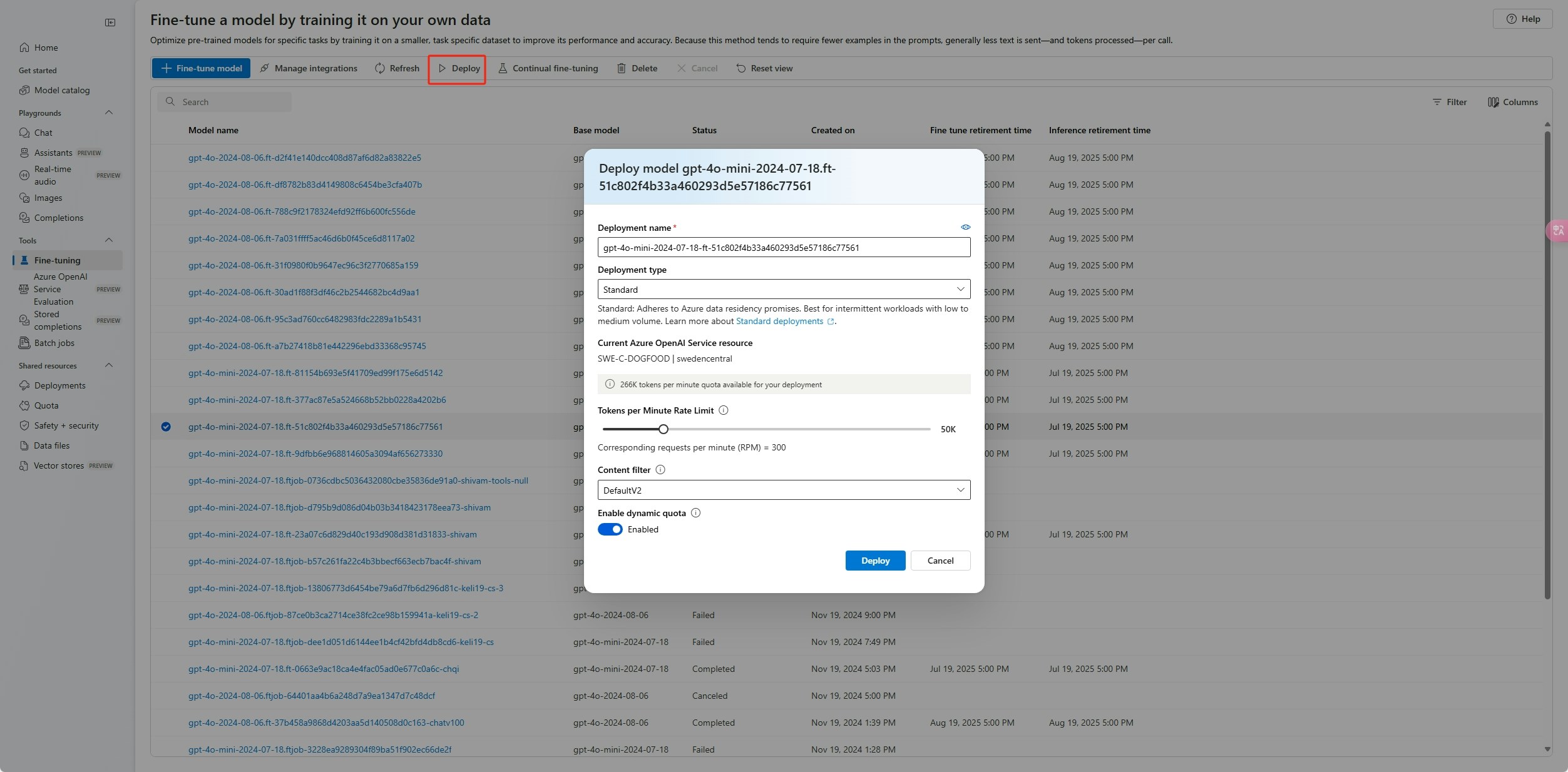
After you deploy a customized model, if at any time the deployment remains inactive for more than 15 days, the deployment is deleted. The deployment of a customized model is inactive if the model was deployed more than 15 days ago and no chat completions or response API calls were made to it during a continuous 15-day period.The deletion of an inactive deployment doesn’t delete or affect the underlying customized model. The customized model can be redeployed at any time.As described in Azure OpenAI in Microsoft Foundry Models pricing, each customized (fine-tuned) model that’s deployed incurs an hourly hosting cost regardless of whether chat completions or response API calls are made to the model. To learn more about planning and managing costs with Azure OpenAI, see Plan and manage costs for Azure OpenAI.
Use your deployed fine-tuned model
- Portal
- Python
- REST
- CLI
After your custom model deploys, you can use it like any other deployed model. You can use the Playgrounds in the Foundry portal to experiment with your new deployment. You can continue to use the same parameters with your custom model, such as 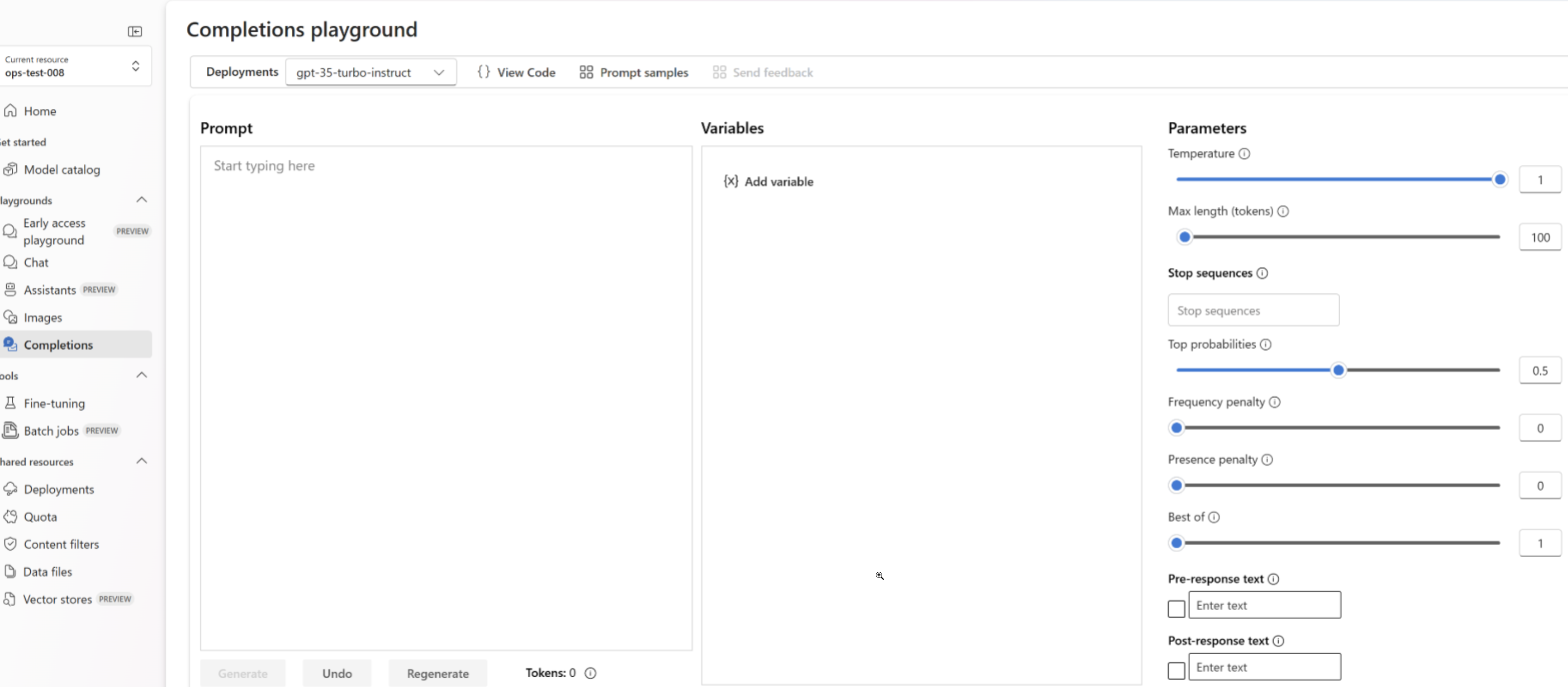
temperature and max_tokens, as you can with other deployed models.Prompt caching
Azure OpenAI fine-tuning supports prompt caching with select models. Prompt caching allows you to reduce overall request latency and cost for longer prompts that have identical content at the beginning of the prompt. To learn more about prompt caching, see getting started with prompt caching.Deployment Types
Azure OpenAI fine-tuning supports the following deployment types.Standard
Standard deployments provide a pay-per-token billing model with data residency confined to the deployed region.| Models | East US2 | North Central US | Sweden Central |
|---|---|---|---|
| o4-mini | ✅ | ✅ | |
| GPT-4.1 | ✅ | ✅ | |
| GPT-4.1-mini | ✅ | ✅ | |
| GPT-4.1-nano | ✅ | ✅ | |
| GPT-4o | ✅ | ✅ | |
| GPT-4o-mini | ✅ | ✅ |
Global Standard
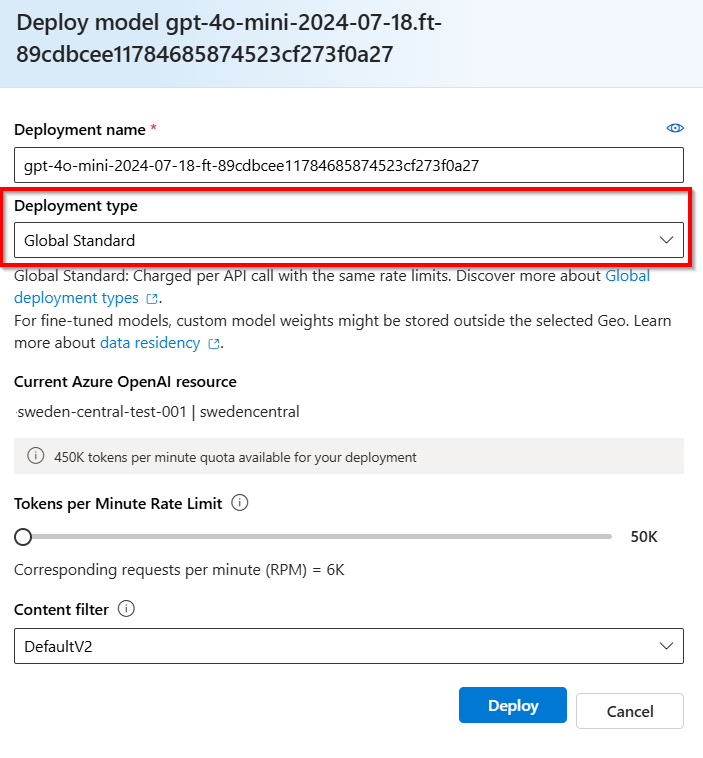
Global standard fine-tuned deployments offer cost savings, but custom model weights may temporarily be stored outside the geography of your Azure OpenAI resource. Global standard deployments are available from all Azure OpenAI regions for the following models:- o4-mini
- GPT-4.1
- GPT-4.1-mini
- GPT-4.1-nano
- GPT-4o
- GPT-4o-mini
Developer Tier
Developer fine-tuned deployments offer a similar experience as Global Standard without an hourly hosting fee, but do not offer an availability SLA. Developer deployments are designed for model candidate evaluation and not for production use. Developer deployments are available from all Azure OpenAI regions for the following models:| Models | Availability |
|---|---|
| o4-mini | All regions |
| GPT-4.1 | All regions |
| GPT-4.1-mini | All regions |
| GPT-4.1-nano | All regions |
Provisioned Throughput
| Models | North Central US | Sweden Central |
|---|---|---|
| GPT-4.1 | ✅ | |
| GPT-4o | ✅ | ✅ |
| GPT-4o-mini | ✅ | ✅ |
Clean up your deployment
To delete a deployment, use the Deployments - Delete REST API and send an HTTP DELETE to the deployment resource. Like with creating deployments, you must include the following parameters:- Azure subscription ID
- Azure resource group name
- Azure OpenAI resource name
- Name of the deployment to delete