Trace LangChain and LangGraph apps with Microsoft Foundry and Azure Monitor
Learn how to trace LangChain and LangGraph applications in Foundry with the AzureAIOpenTelemetryTracer callback handler.
Use the langchain-azure-ai integration package to emit OpenTelemetry traces from LangChain and
LangGraph applications and sink them in Azure Application Insights. In this article, you configure
AzureAIOpenTelemetryTracer, attach it to your runnable, and inspect traces in
Azure Monitor.The tracer emits spans for agent execution, model calls, tool execution, and
retrieval operations. You can use it for apps that run fully local, hybrid
flows that call Foundry Agent Service, or multi-agent LangGraph solutions.
To control whether content from messages and tool calls is recorded in the trace,
pass enable_content_recording to the AzureAIOpenTelemetryTracer constructor.
Content recording is enabled by default.
Set enable_content_recording=False in the AzureAIOpenTelemetryTracer constructor
to redact message content and tool call arguments from traces.
What this snippet does: Configures a tracer that resolves the associated
Application Insights connection string from your Foundry project endpoint and
enables tracing for LangGraph nodes. Use agent_id parameter to set the attribute
gen_ai.agent.id when invoking agents. The name parameter sets the
OpenTelemetry tracer name.The tracer supports common controls for production workflows:
Pass connection_string to target a specific Application Insights resource or by configuring
the environment variable APPLICATION_INSIGHTS_CONNECTION_STRING.
Set trace_all_langgraph_nodes=True to trace all nodes by default.
Use node metadata like otel_trace: True or otel_trace: False to include
or skip specific nodes.
Use message_keys and message_paths when your messages are nested under a
custom state shape, for example chat_history.
For LangGraph, attach the tracer with with_config on the compiled graph.
This snippet reuses model and tracer from earlier examples.
from langgraph.graph import END, START, MessagesState, StateGraphfrom langgraph.prebuilt import ToolNodefrom langgraph.checkpoint.memory import MemorySaverfrom langchain_core.tools import toolfrom langchain_azure_ai.utils.agents import pretty_print@tooldef play_song_on_spotify(song: str): """Play a song on Spotify""" # Integrate with Spotify API here. return f"Successfully played {song} on Spotify!"@tooldef play_song_on_apple(song: str): """Play a song on Apple Music""" # Integrate with Apple Music API here. return f"Successfully played {song} on Apple Music!"tool_node = ToolNode([play_song_on_apple, play_song_on_spotify])model_with_tools = model.bind_tools([play_song_on_apple, play_song_on_spotify])def should_continue(state: MessagesState): messages = state["messages"] last_message = messages[-1] return "continue" if getattr(last_message, "tool_calls", None) else "end"def call_model(state: MessagesState): messages = state["messages"] response = model_with_tools.invoke(messages) return {"messages": [response]}memory = MemorySaver()workflow = ( StateGraph(MessagesState) .add_node("agent", call_model) .add_node("action", tool_node) .add_edge(START, "agent") .add_conditional_edges( "agent", should_continue, { "continue": "action", "end": END, }, ) .add_edge("action", "agent") .compile(checkpointer=memory))
Then, you can run the graph as usual:
from langchain_core.messages import HumanMessageconfig = {"configurable": {"thread_id": "1"}, "callbacks": [tracer]}message = HumanMessage(content="Can you play Taylor Swift's most popular song?")result = workflow.invoke({"messages": [message]}, config)pretty_print(result)
================================ Human Message =================================Can you play Taylor Swift's most popular song?================================== Ai Message ==================================Tool Calls: play_song_on_spotify (call_xxx) Call ID: call_xxx Args: song: Anti-Hero================================= Tool Message =================================Name: play_song_on_spotifySuccessfully played Anti-Hero on Spotify!================================== Ai Message ==================================I played Taylor Swift's popular song "Anti-Hero" on Spotify.
What this snippet does: Creates a simple LangGraph app, marks the node for
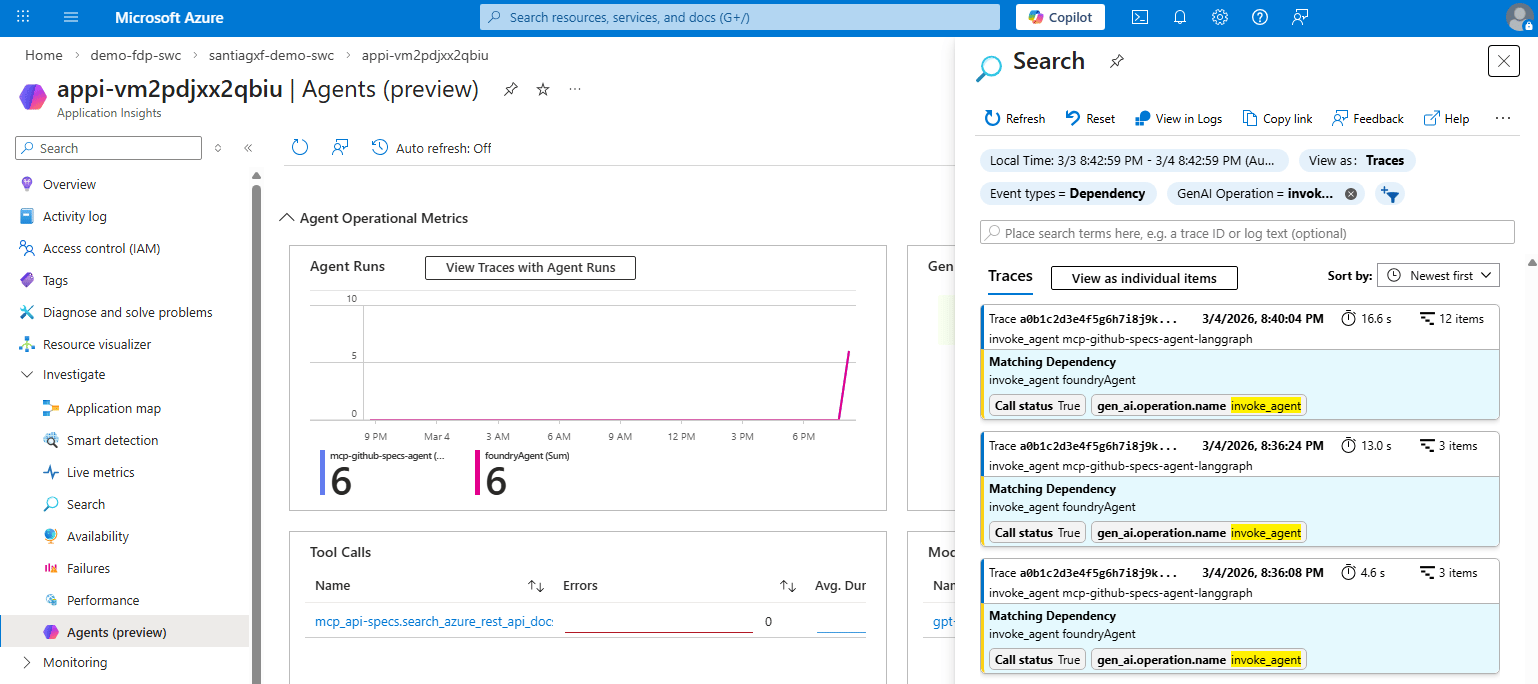
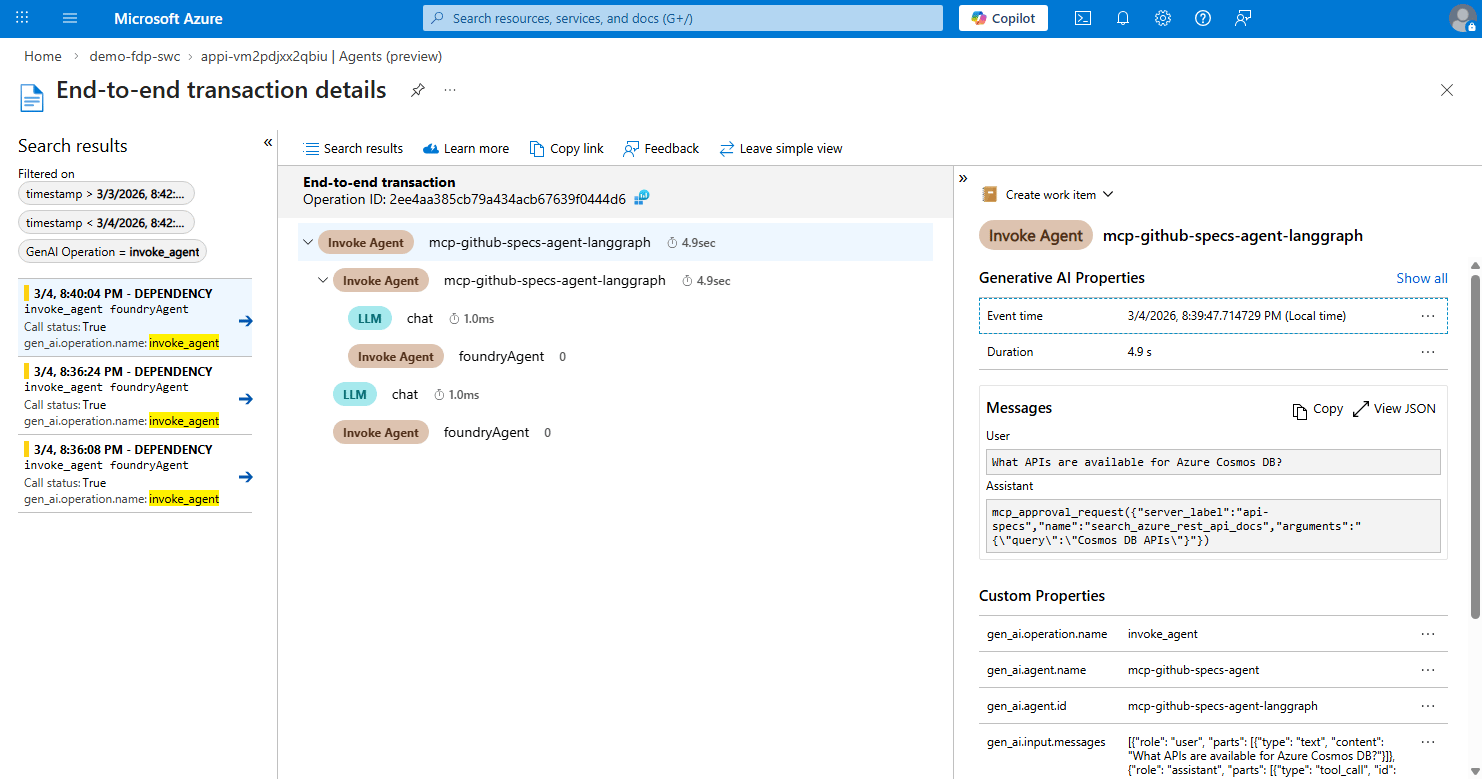
tracing, and emits invoke_agent and model/tool spans into the same trace.Reference:
You can set agent_name, agent_id, and agent_description per node using
LangGraph metadata. Any metadata key starting with gen_ai. is also forwarded
as a span attribute.
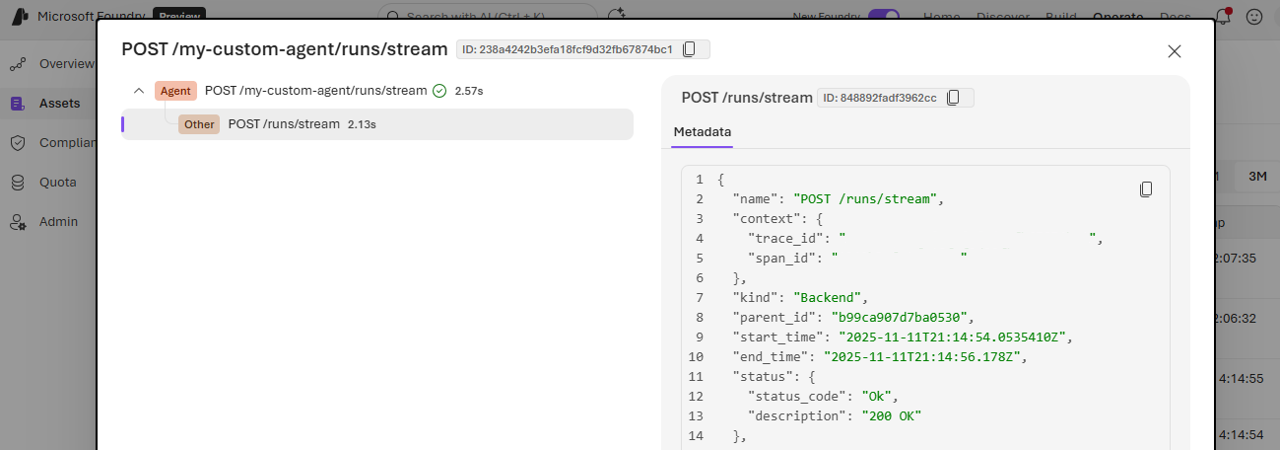
An agent that you deploy and expose through a reachable endpoint. The endpoint can be either a public endpoint or an endpoint that’s reachable from the network where you deploy the Foundry resource.
When configuring the class AzureAIOpenTelemetryTracer, make sure to use the project’s endpoint you want the agent to be registered at. Ensure you configure agent_id.