Fireworks models on Microsoft Foundry
Through integration with Fireworks AI, Microsoft Foundry customers can:
All of these capabilities are available directly within your Foundry project, with Azure governance, access controls, and project management built in.
Prerequisites
The Foundry RBAC roles were recently renamed. Foundry User, Foundry Owner, Foundry Account Owner, and Foundry Project Manager were previously named Azure AI User, Azure AI Owner, Azure AI Account Owner, and Azure AI Project Manager. You might still see the previous names in some places while the rename rolls out. The role IDs and core permissions are unchanged by the rename.
Region availability
Data Zone Standard deployments of models via Fireworks on Foundry are available in the following Azure regions:
- East US (eastus)
- East US 2 (eastus2)
- Central US (centralus)
- North Central US (northcentralus)
- West US (westus)
- West US 3 (westus3)
Global provisioned throughput deployments of base and custom models are available in all global Azure regions except for Azure Government cloud environments.
Deploy Fireworks models from the Foundry portal
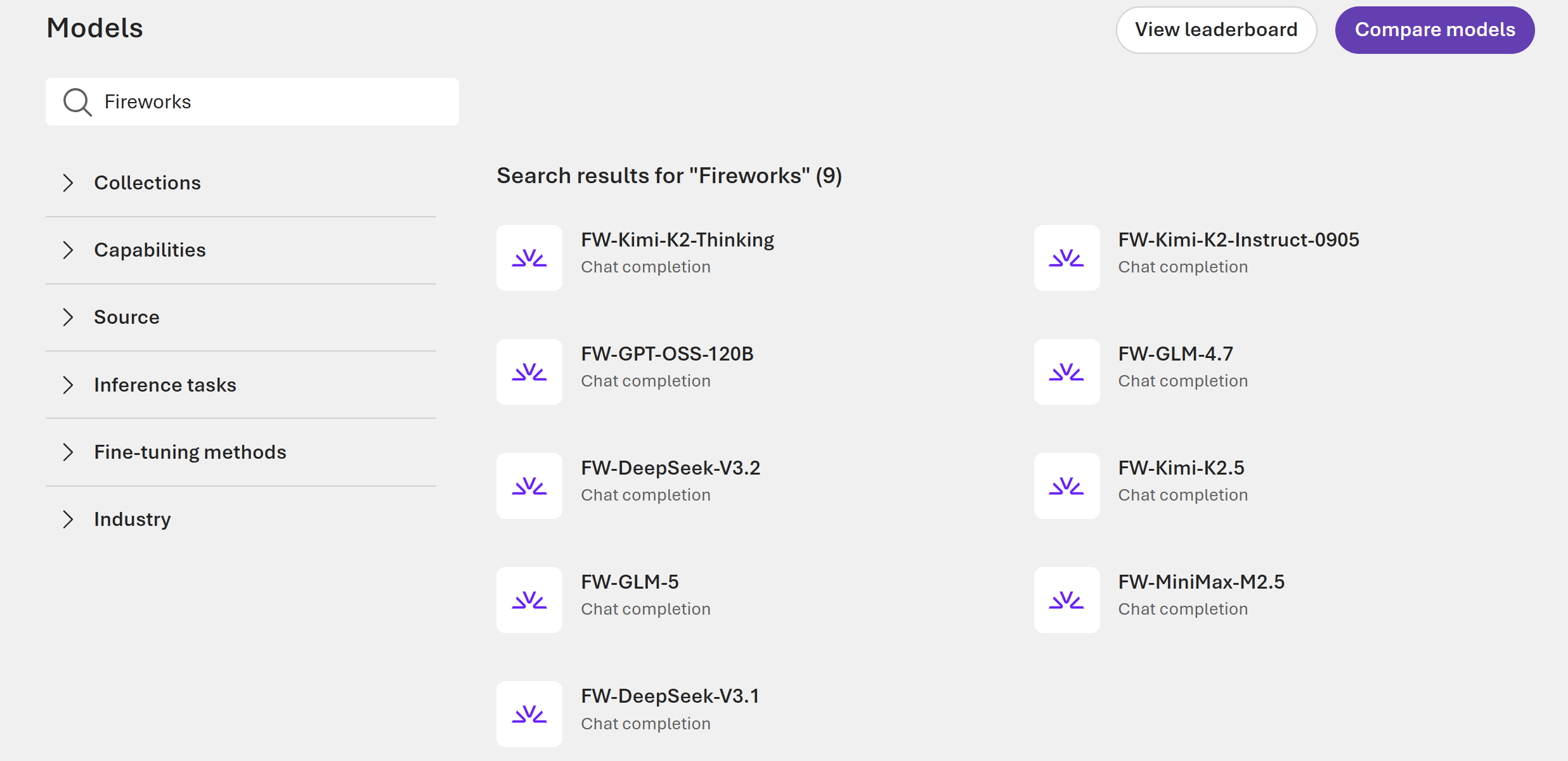
Deploy Fireworks models from the Foundry model catalog. Complete these steps to get a live endpoint for chat completions. Browse available models in the Available catalog models section, or import your own custom model.
-
From the portal homepage, select Discover in the upper-right navigation.
-
In the left pane, select Models to open the Model catalog.
-
Select your desired Fireworks model to view its details on the model page:
-
On the model page, select Deploy. For more information on deployment options, see Deploy Foundry Models in the portal.
-
In the deployment window, configure the following settings:
- Deployment name: Keep the default name or enter a custom name to identify the deployment.
- Deployment type: Select Data Zone Standard or Global provisioned throughput. For more information, see Deployment types.
- Model version settings: Select the model version for the deployment.
- Tokens per Minute Rate Limit: Set a custom tokens-per-minute limit to manage costs and control usage. The default value is based on the model’s typical performance and cost profile.
- Guardrails: Select DefaultV2 or Default guardrail configuration. Models use the Microsoft.DefaultV2 guardrail unless a different one is specified. For more information, see Use guardrails to set boundaries on model outputs.
-
Select Deploy. The deployment process can take up to 30 minutes.
-
After deployment completes, use the provided endpoint and key to send inference requests to the model. To quickly test the deployment, use the Playground in your Foundry project.
To verify the deployment, navigate to your project’s Deployments page and confirm the deployment Status shows Succeeded.
Available catalog models
The following Fireworks models are available in the Foundry model catalog:
| Model provider | Model name | Model ID | Type | Supported offers | Description |
|---|
| DeepSeek | DeepSeek v3.1 | FW-DeepSeek-v3.1 | Chat completions | PTU | General-purpose open-weight model for chat and reasoning tasks. |
| DeepSeek | DeepSeek V4 Pro | FW-DeepSeek-V4-Pro | Chat completions | Per-Token and PTU | Flagship MoE model for frontier reasoning, coding, and long-context tasks. |
| Google | Gemma 4 26B A4B IT | FW-Gemma-4-26B-A4B-IT | Chat completions | PTU | Instruction-tuned multimodal sparse model for efficient vision and language tasks. |
| Google | Gemma 4 31B IT | FW-Gemma-4-31B-IT | Chat completions | PTU | Instruction-tuned multimodal dense model for vision, chat, and reasoning tasks. |
| Meta | Llama 3.1 8B Instruct | FW-Llama-3.1-8B-Instruct | Chat completions | PTU | Compact instruction-tuned model for cost-efficient chat workloads. |
| Mistral AI | Ministral 3 3B Instruct 2512 | FW-Ministral-3-3B-Instruct-2512 | Chat completions | PTU | Small efficient model for lightweight chat and instruction-following tasks. |
| Moonshot AI | Kimi K2 Instruct 0905 | FW-Kimi-K2-Instruct-0905 | Chat completions | PTU | Instruction-tuned model for chat workloads. |
| Moonshot AI | Kimi K2 Thinking | FW-Kimi-K2-Thinking | Chat completions | PTU | Reasoning-focused model for multi-step problem solving. |
| Moonshot AI | Kimi K2.6 | FW-Kimi-K2.6 | Chat completions | Per-Token and PTU | Native multimodal agentic model for long-horizon coding and task orchestration. |
| Qwen | Qwen 3.5 9B | FW-Qwen3.5-9B | Chat completions | PTU | Compact model for efficient chat and reasoning. |
| Qwen | Qwen 3.5 35B A3B | FW-Qwen3.5-35B-A3B | Chat completions | PTU | Sparse mixture-of-experts model for efficient general-purpose tasks. |
| Qwen | Qwen 3.5 112B A10B | FW-Qwen3.5-112B-A10B | Chat completions | PTU | Large sparse model for complex reasoning and generation tasks. |
| Qwen | Qwen 3.5 397B | FW-Qwen3.5-397B | Chat completions | PTU | Large-scale model for advanced reasoning and generation. |
| Zhipu AI | GLM-4.7 | FW-GLM-4.7 | Chat completions | PTU | Bilingual model for chat and reasoning tasks. |
| Zhipu AI | GLM-5.1 | FW-GLM-5.1 | Chat completions | PTU | Advanced bilingual model for chat, reasoning, and code. |
Fireworks models on Standard (Per-Token) inference offerings are subject to a 15-day notice period prior to model retirement. Plan your deployments accordingly and monitor notifications for upcoming retirement dates.
Custom models (bring your own model)
In addition to the catalog models, Fireworks on Foundry supports importing and deploying your own custom model weights. This BYOM capability lets you run proprietary or fine-tuned open-weight models within the Foundry ecosystem, with inference provided by the optimized Fireworks cloud.
Supported model architectures
Custom models must be based on one of the following supported architectures:
- Kimi (K2, K2.5, K2.6)
- GLM (4.7, 4.8)
- OpenAI (gpt-oss-120b)
- Qwen (qwen3.5-9B, qwen3.5-35B-A3B, qwen3.5-112B-A10B, qwen3.5-397B)
Limitations
- Full-weight models only. LoRA and adapter-based models aren’t supported.
- CLI-first workflow. The import process uses the Azure Developer CLI (
azd). The Foundry portal supports registering, viewing, and deploying models after upload.
- Fireworks Agents and Agent Builder workflows aren’t currently supported.
For step-by-step instructions, see Import custom models into Foundry.
Data privacy
When you use Fireworks on Foundry, data is shared between Microsoft and Fireworks AI, and different compliance and data handling rules will apply. See below for details. Customers are responsible for evaluating whether data sharing between Microsoft and Fireworks is appropriate for their organizations compliance requirements.
-
Fireworks on Foundry is currently excluded from EU Data Boundary commitments.
-
FedRAMP isn’t achieved for Fireworks on Foundry. If your organization requires FedRAMP, before use, consult with your Authorization Official to determine if use of Fireworks on Foundry is allowed.
-
Payment Card Industry (PCI) Data Security Standard (DSS) isn’t applicable to Fireworks on Foundry. You shouldn’t use Fireworks on Foundry to store, process, or transmit payment and cardholder data.
Transparency note
Fireworks on Foundry allows customers to deploy and operate third-party and open-weight AI models using Microsoft Foundry platform services.
- Microsoft doesn’t develop, train, fine-tune, or evaluate the safety, security, or Responsible AI characteristics of models deployed through Fireworks on Foundry.
- Microsoft makes no representations regarding the behavior, performance, or risk profile of these models.
- Customers are solely responsible for assessing the suitability of any model for their intended use, including performing any required safety, compliance, and Responsible AI evaluations, before deploying models in production or customer-facing applications.
Foundry provides the tools and best practices for performing your own risk and safety evaluations of models.
Frequently asked questions
Is Fireworks on Foundry available in Azure for US Government?
No, currently the Fireworks on Foundry service isn’t available for Azure Government cloud users.
How can I get quota for Fireworks model deployments?
Use the quota request form to request added quota for Fireworks on Foundry.
I have a Fireworks AI account. Can I use my existing Fireworks deployments?
No, you need to create new deployments in Foundry. If you’d like to shift consumption to Azure, contact your Fireworks account team to assist.
Can I deploy LoRA or adapter-based models?
No, Fireworks on Foundry supports full-weight custom models only. LoRA and adapter-based models aren’t supported at this time.
How do I import and deploy a custom model?
Custom model import uses a CLI-first workflow with the Azure Developer CLI. For step-by-step instructions, see Import custom models into Foundry.
How is Fireworks on Foundry billed?
Fireworks models deployed through Foundry support both pay-per-token and provisioned throughput offers.
How do I disable Fireworks in my Foundry project?
To stop using Fireworks models, delete the Fireworks model deployments from your Foundry project.
How do I use the Responses API?
The Responses API is supported via the Foundry Projects API and SDK. Make sure to point your client to your project’s API endpoint or use the Foundry SDK.
Troubleshoot Fireworks on Foundry
Use the following guidance to resolve common issues with Fireworks on Foundry.
| Issue | Resolution |
|---|
| Fireworks models don’t appear in the model catalog | Verify you’re working in a supported region. Check that the model catalog filters are set to show Fireworks models. |
| Deployment fails with a quota error | Use the quota request form to request added capacity for Fireworks on Foundry. |
| ”Forbidden” or access denied during deployment | Verify that your identity has the Azure AI Developer role or higher on the Foundry project. Subscription-level roles alone aren’t sufficient for deployment. |
| Model endpoint returns errors after deployment | Confirm the deployment status shows Succeeded on the project’s Deployments page. Verify you’re using the correct Target URI and Key from the deployment details. |
Related content